Flight Simulator Software for Student Pilots: Which to Choose
Flight simulator software for PCs ranges from free options such as FlightGear to Microsoft Flight Simulator, X-Plane and the professional Prepar3D. These programs are excellent for learning procedures, instruments and navigation, but a home simulator is not an approved training device, so its hours cannot normally be logged towards a DGCA licence.
Updated October 2026 · Editorial team, Golden Epaulettes Aviation
Key facts: flight simulator software
- Main options: Microsoft Flight Simulator, X-Plane, Prepar3D and FlightGear.
- Best for scenery and weather: Microsoft Flight Simulator.
- Best for flight-model realism: X-Plane is often chosen for its physics-based flight model.
- Free option: FlightGear is open source and free.
- Licence hours: only approved flight simulation training devices (FSTDs) count; home PC time is for practice.
- Check specs first: versions and hardware needs change, so confirm on each developer's site.
What flight simulator software can do for a student pilot
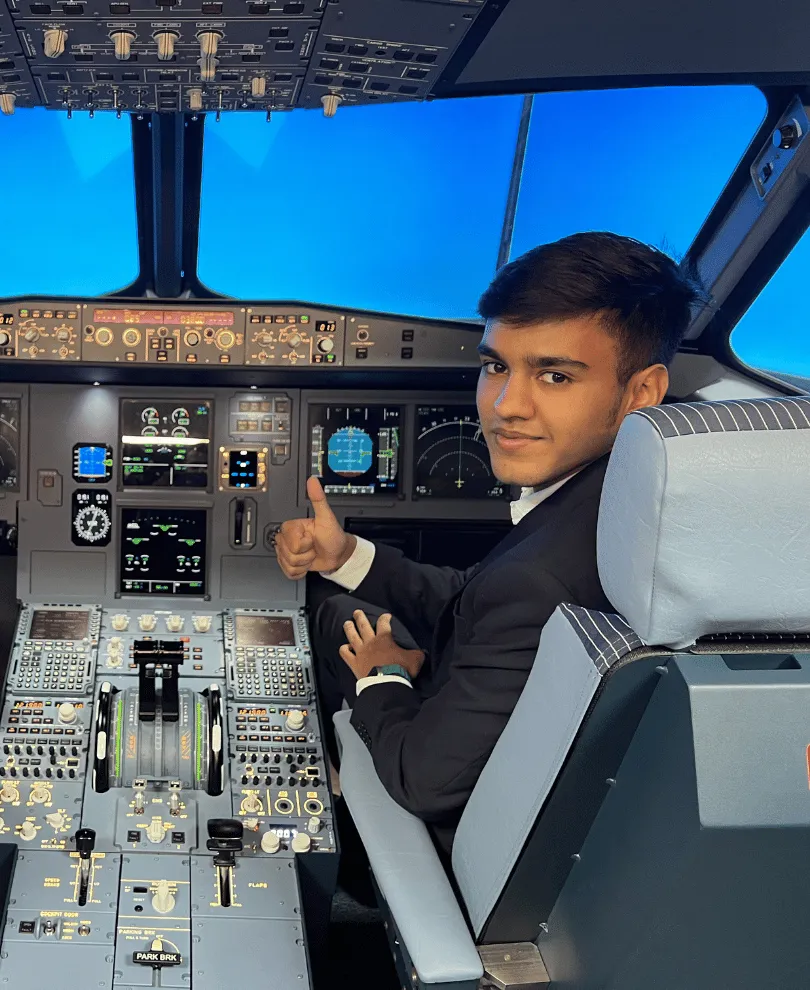
A desktop simulator lets you practise instrument scans, radio calls, checklists, navigation and approach procedures without the cost of an aircraft. Many students use one to learn cockpit layouts before their first lesson.
It does not replace real flying or an approved training device. Handling feel, ATC pressure and medical aspects of flight cannot be recreated on a home PC. See flight simulator basics for the fundamentals.
Main flight simulator software compared
| Software | Strengths | Limitations | Cost model |
|---|---|---|---|
| Microsoft Flight Simulator | Photoreal scenery, live weather, wide aircraft range | Heavy PC and internet needs; some systems are simplified | Paid; check official site |
| X-Plane | Physics-based flight model, strong for procedural practice, runs on several platforms | Default scenery is less detailed than MSFS | Paid; see X-Plane |
| Prepar3D | Professional and training-oriented platform | Aimed at professional and enterprise use; licensing terms apply | Licensed; see Prepar3D |
| FlightGear | Open source, many aircraft, runs on modest PCs | Rougher graphics and manual setup | Free; see FlightGear |
Features, versions and prices change often, so confirm current details on the developer sites before buying.
Choosing the right simulator
- Learning the basics: FlightGear or a basic edition is enough to learn instruments and procedures.
- Weather and visual flying practice: Microsoft Flight Simulator gives a realistic outside view.
- Procedures and systems: X-Plane or add-on aircraft with detailed systems help with checklists.
- Professional-style setup: consider Prepar3D only if its licence suits your purpose.
Your PC specification and budget matter most. Start with a mid-range set-up, a joystick or yoke and rudder pedals before spending on panels.
Home simulators and DGCA licensing
Licence flying hours must be gained on aircraft or on approved flight simulation training devices, and the rules limit how many simulator hours can count. Time on a gaming PC is not logged.
Check the current rules on the DGCA website. Our page on simulator training for CPL and CPL simulator explain how approved simulators are used.
How to use a PC simulator effectively
- Pick one aircraft type and learn it well, including its checklist and normal procedures.
- Practise instrument approaches and holding patterns with real charts.
- Use real-world weather and ATC where possible, and fly full routes.
- Add radio phraseology practice to prepare for the RTR(A) exam.
- Keep a short log of what you practised and review mistakes.
Related reading: benefits of flight simulator games and flight simulator training cost.
Hardware and add-ons to consider
| Item | Why it helps |
|---|---|
| Joystick or yoke | Better control feel than a mouse or keyboard |
| Rudder pedals | Practise taxiing, crosswind landings and coordinated turns |
| Throttle quadrant | Useful for engine management and approach speed control |
| Headset and push-to-talk | Practise radio phraseology for RTR(A) |
| Multiple screens or VR | More outside view and instrument space, at higher cost |
Add-on aircraft and online ATC networks can improve realism. Always buy from the developer or a trusted store, and avoid cracked software that can damage your PC.
Common mistakes with home simulators
- Treating the simulator like a game, with unrealistic manoeuvres, instead of flying by the book.
- Assuming arcade handling matches real aircraft, which can create bad habits.
- Spending heavily on hardware before learning basic procedures.
- Skipping the theory; knowing how to press buttons is not the same as knowing why.
- Counting simulator hours as licence hours without checking DGCA rules.
Type-specific simulator training
Airline type-rating training uses full flight simulators. They are certified devices with motion and accurate aircraft data. Examples are explained in ATR 72 simulator training and Boeing 787 simulator training.
Airlines also assess candidates in simulators during selection, so hands-on practice with procedures helps. Read airline simulator assessment preparation.
A simple practice plan for the first month
- Week 1: learn the cockpit of one trainer aircraft and fly circuits in clear weather.
- Week 2: practise navigation between two airports using charts and radio aids.
- Week 3: add instrument flying and an ILS or RNAV approach in poor visibility.
- Week 4: repeat with realistic weather, radio calls and an engine or system failure.
Each session should have a goal, a debrief and a note on what to repeat. Short, focused sessions work better than long casual ones.
What this means for your pilot career
A PC simulator is a low-cost way to build habits before spending on real flying. It should support, not replace, formal training.
Combine it with DGCA CPL ground classes for theory, and read how to become a pilot for the licence route.
Sources and official references
- Microsoft Flight Simulator – official site (accessed October 2026)
- X-Plane – Laminar Research (accessed October 2026)
- Prepar3D – Lockheed Martin (accessed October 2026)
- FlightGear – official site (accessed October 2026)
- DGCA India (accessed October 2026)
Next steps
Want to turn simulator practice into a real licence? Join DGCA ground classes online or in Dwarka and ask for a free counselling call.
Talk to a counsellor on WhatsAppReviews & Discussion
Write a review
No reviews yet. Be the first!