Simulator Training for CPL Pilots: What It Is and How It Helps
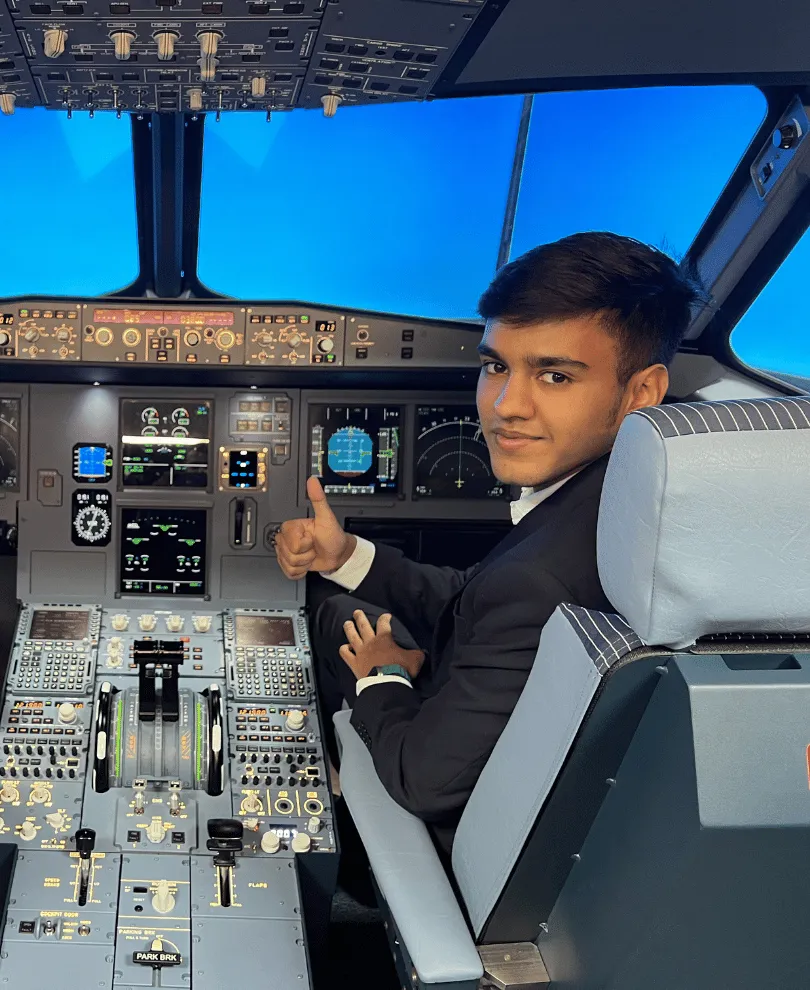
Simulator training for a CPL means practising instrument flying, procedures and emergencies in a flight simulation training device (FSTD) instead of a real aircraft. It supports your flying training but does not replace it, because the DGCA CPL still needs real flight hours and a skill test.
Simulators are most useful for instrument flying, checklists, abnormal situations and airline-style multi-crew practice. They are also where most airlines test you during selection.
Below we explain the device types, what a simulator can and cannot do for a CPL, how to prepare, and how this connects to your ground classes.
Updated October 2026 · Editorial team, Golden Epaulettes Aviation
Key facts: simulator training for CPL
- What it is: training on an FSTD that replicates cockpit, systems and flight behaviour.
- Regulator: DGCA approves training devices and sets how much simulator time counts towards licences (check the current CAR).
- Real flying: a CPL still needs actual flight hours and a skill test in an aircraft.
- Best uses: instrument flying, emergencies, checklists, CRM and airline assessment practice.
- Airline link: many airlines run a simulator assessment before offering a job.
- GEA role: ground classes and airline simulator-assessment preparation; GEA does not operate full flight simulators.
What is simulator training in a CPL course?
A flight simulator reproduces the cockpit, instruments, aircraft handling and weather, so you can fly procedures safely on the ground. Instructors can freeze the scenario, repeat a manoeuvre or trigger a failure, which is not practical in a real aircraft.
For a CPL candidate, the main benefit is learning instrument procedures and decision-making before spending expensive hours in the air. Many flying schools use a basic training device early on and an advanced device in the instrument and multi-engine phase.
Types of flight simulators and training devices
| Device | What it is | Typical use |
|---|---|---|
| Basic / flight training device (FTD, BITD) | Fixed-base cockpit with limited visuals | Procedures, instrument scans, radio navigation |
| FNPT-type device | Generic aeroplane cockpit with a visual system | Instrument rating and multi-crew practice |
| Full flight simulator (FFS) | Motion platform and high-fidelity visuals matched to one aircraft type | Type ratings, recurrent checks, airline assessments |
| Desktop / PC simulator | Software on a computer | Self-study and procedure memorisation, not credited as licence time |
Regulators grade full flight simulators by qualification level. What counts towards licences is set in the DGCA CARs, so confirm current credit rules with your flying school and DGCA.
How simulators help with a DGCA CPL
- Instrument flying: practise holds, approaches and instrument scans for the instrument rating without weather or fuel cost.
- Emergencies: rehearse engine failure, fire and system malfunctions in safe conditions.
- Checklist discipline: build the habit of flows and callouts.
- Multi-engine handling: learn asymmetric flight before you do it in an aircraft.
- Confidence: arrive at flight lessons prepared, which can reduce repeat lessons.
Related reading: commercial pilot licence simulator and CPL simulator exam preparation tips.
What a simulator cannot replace
A simulator cannot teach real-world feel, true weather judgement, traffic scanning outside the cockpit or the physical demands of a long sortie. This is why DGCA still requires actual flight time and a skill test for the CPL.
It also does not replace theory. Your written papers still test Air Navigation, Meteorology, Air Regulations and Technical General, and you can start with DGCA CPL ground classes.
Simulator training and airline selection
Airlines such as IndiGo, Air India and Gulf carriers often include a simulator or practical assessment in selection. They look at scan discipline, communication, workload handling and attitude to correction, not just hand-flying skill.
Our airline preparation classes cover written tests, psychometric, interview and simulator-assessment preparation. See also CASS and COMPASS preparation.
How to prepare for simulator sessions
- Learn the basic instrument scan and flight-control effects before the session.
- Read the briefing and know the checklist order for the device you will use.
- Practise radio phraseology with RTR(A) knowledge.
- Ask the instructor to explain mistakes, then repeat the exercise.
- Keep a short log of lessons and what you will improve next time.
What this means for your pilot career
Choose a flying school that is transparent about how much simulator and aircraft time is included in the quoted price. Compare their DGCA approvals and aircraft availability in how to select the best flying school.
Keep your theory timeline separate from your flying timeline so that delays in one do not stall the other. For the full route, read how to become a pilot.
Sources and official references
- DGCA India (accessed October 2026)
- ICAO – flight simulation training devices (accessed October 2026)
- EASA – flight simulation training devices (accessed October 2026)
- FAA – Airplane Flying Handbook (accessed October 2026)
- SKYbrary aviation safety (accessed October 2026)
Next steps
Want help with theory, airline assessments or choosing your next step? Read about the commercial pilot licence or message us for free counselling.
Talk to a counsellor on WhatsAppReviews & Discussion
Write a review
No reviews yet. Be the first!